
How to Evaluate an FC 27 Cheat Download Before Installing It
A download page can look convincing without proving that its software is safe or compatible. Use this checklist to examine FC 27 tools before installing anything.
How to Evaluate an FC 27 Cheat Download Before Installing It
Searching for an FC 27 cheat download can bring up product pages, demonstration videos, private communities, and downloadable installers. The difficult part is separating verifiable information from marketing.
A polished website does not guarantee that a file is safe. Likewise, a video showing a feature does not prove that the same feature works in the current version of the game.
Use the following checklist before making a purchase or running unfamiliar software.
Confirm that the product supports FC 27
Start with the exact game version and platform.
EA SPORTS FC 27 is available on PC and several console platforms, but that does not mean every third-party tool supports all of them. A product designed for Windows cannot automatically be assumed to work on a PlayStation or Xbox console.
Check for explicit compatibility documentation, a recent update date, and a clear explanation of any platform restrictions.
If the seller only refers to an older FC release, ask for current documentation rather than relying on the product name.
Inspect the download source
Only obtain software from a source you can verify.
Before downloading, check whether the website provides clear company or seller information, support channels, privacy terms, and purchase conditions.
Be cautious when a download requires you to:
- Disable antivirus or Windows security without a convincing technical explanation.
- Install unrelated programs bundled with the main file.
- Enter your EA password into an unfamiliar application.
- Run scripts with administrator privileges without understanding their purpose.
- Download password-protected archives from anonymous file-sharing services.
These are warning signs, not proof that every file from a particular category is malicious. The point is to avoid taking unnecessary risks.
Check what the advertised features actually mean
A list of feature names can sound impressive without explaining how the software works.
Look for specific documentation that describes the intended functionality, supported modes, limitations, and current version.
Ask whether the seller distinguishes between features that have been tested and features that are merely planned. Do not treat a demonstration from an older title as evidence of compatibility with FC 27.
Understand the installation requirements
A trustworthy technical description should explain the software's basic requirements.
Check the supported operating system, dependencies, installation process, and whether administrator privileges are necessary.
Unexpected requests to change system security settings deserve particular scrutiny. Do not make changes you cannot reverse or understand just because a seller says they are required.
Review the purchase terms
Before paying, establish exactly what you are buying.
Important questions include:
- Is access a one-time purchase or a recurring subscription?
- What is the renewal date, if applicable?
- Are updates included?
- What happens if the software becomes incompatible?
- Is there a refund policy?
- How can you contact support?
Keep a copy of the receipt and the terms that applied when you purchased the product.
Avoid assuming that a high price means better quality or that a lifetime-access offer guarantees indefinite compatibility.
Can antivirus scans prove a download is safe?
No single scan can guarantee that a file is harmless.
Security tools may miss new threats, and some legitimate programs may trigger false positives. Neither result should be interpreted in isolation. Use basic software security checks as a wider checklist, not a single scan result.
Do not upload private files or account credentials to public scanning services. If a file raises serious concerns, the safest choice is not to run it.
What if the download does not work?
Do not repeatedly execute an installer that behaves unexpectedly.
If you have not installed it, delete the file and obtain software only from a source you trust. If you already ran it and noticed suspicious behavior, run a security scan and review recent installations and account activity.
If you entered your EA credentials into an untrusted application, change your password using the official EA website and review available account-security settings.
A practical final checklist
Before proceeding, make sure you can answer these questions:
- Does the documentation explicitly identify FC 27?
- Is the supported platform clear?
- Can the seller explain the current version and update history?
- Are the download source and installer requirements understandable?
- Are payment, renewal, and refund terms available?
- Do you understand the possibility of account penalties for unauthorized software?
If several answers are unclear, stop and investigate instead of proceeding on trust alone.
Final thoughts
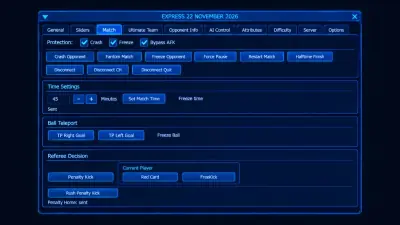
The safest download decision is an informed one. Verify the source, inspect the requirements, and read the terms before paying or installing unfamiliar software. You can review the advertised FC 27 features on the product page before you compare installers.
For online games, there is another consideration: even a technically functional third-party tool may violate the game's rules. Compatibility and security are separate questions from whether the publisher permits its use.